
Admission Open For Web Design, Web Development, Digital Marketing, Graphics Design... More Details: +91 8554 939 494
09.30am - 7.00pm


We Provide Best Graphics Design Courses In Pune
Code Hub Technology of Design is another reputed design institute in Pune that offers undergraduate and postgraduate courses in graphic design, product design, and more
GRAPHICS DESIGN COURSES IN PUNE
100% Job Guarantee
Industrial Oriented Training
Industrial Experienced Faculties
Weekly Batches For New Joiner
Most Trusted Institute Training
Industrial Training With pve Projects
Placements & Campus Drives
Most Recommended Institute Training
Both Theoretical & Practical Training
What Is Graphics Design?
Graphics design is the process of creating visual content that communicates a message to a target audience. It involves the use of typography, images, color, and layout to create designs that are both aesthetically pleasing and effective in conveying a message. Graphics design is used in a wide range of applications, from branding and advertising to product packaging and web design. Some common examples of graphic design include logos, brochures, posters, book covers, and website layouts.


Why Graphics Design?
Graphics design is important for many reasons, both practical and artistic. Here are a few reasons why graphics design is a valuable skill:
-
Visual Communication
Graphics design is an effective way to communicate a message visually, whether it's promoting a product or service, creating a brand identity, or conveying information. A well-designed visual can make a strong impact on the viewer and help to convey the message in a clear and concise way.
-
Branding and Marketing
Graphics design plays a critical role in branding and marketing, as it helps to create a visual identity for a business or organization. A strong brand identity can help to build recognition, trust, and loyalty among customers, and can differentiate a business from its competitors.
-
Aesthetic Appeal
Good graphics design is aesthetically pleasing and can create an emotional connection with the viewer. A well-designed visual can make a lasting impression and leave a positive impression on the viewer.
-
Professionalism
Good graphics design is an essential component of professionalism in many industries, from business to healthcare to education. A well-designed visual can help to create a professional image and convey competence and expertise.
-
Creativity
Graphics design is a creative field that allows designers to express their creativity and explore different ideas and concepts. It offers the opportunity to work with a range of media and tools, and to experiment with different design elements and techniques.
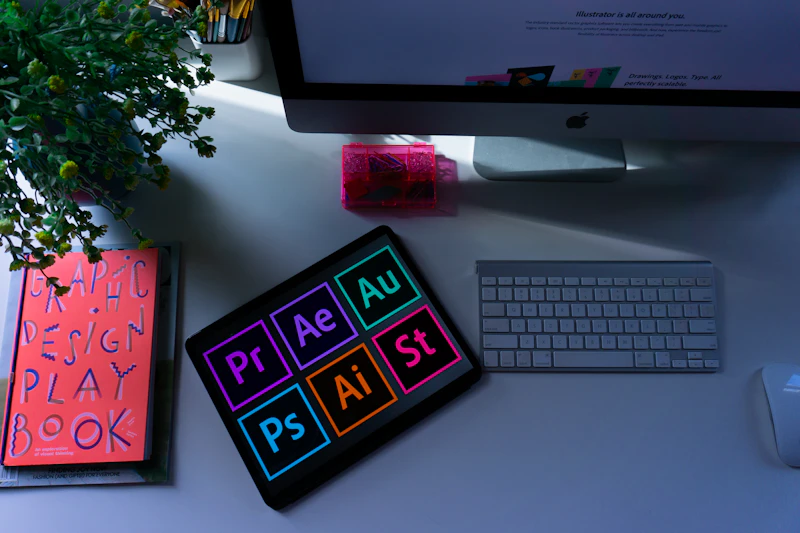
Software Used In Graphics Design
1.
ADOBE PHOTOSHOP
2.
ADOBE ILLUSTRATOR
3.
ADOBE PREMIERE PRO
4.
AFTER EFFECTS
5.
CORAL DRAW

Stream 3
Graphic Design & Content AI
Master visual design principles, Generative AI engines, and automated creative pipelines to build commercial brand assets at scale.

301
GD-301
Visual Design Principles & The Generative AI Landscape
Module 1: Fundamental Design Theory
- Balancing visual scales, grid alignment layouts, typography rules, and color palettes
- Formulating clean layout hierarchies, contrast points, and negative space boundaries
- Translating strict brand configuration parameters into design generation frameworks
Module 2: The Generative AI Paradigm
- Diffusion platforms vs. structured language-driven vector creation models
- Navigating resolution caps, layout aspect ratios, and visual artifact handling
- Fair use considerations, digital asset copyright parameters, and data ownership tracks
Module 3: Hybrid Workflow Planning
- Injecting generative asset processes into legacy creative suite software suites
- Rapid look-and-feel style discovery, concept mapping, and mood-board generation
- Structuring multi-format asset creation rules across complex company footprints

302
GD-302
Midjourney Mastery: Prompting, Styling, & Camera Controls
Module 1: Foundational Prompting Engine
- Designing structural prompt layers, asset settings, and custom parameter arrays
- Version tracking settings and managing web interface control modes
- Controlling visual variations, chaos parameters, and layout style weight codes
Module 2: Advanced Camera & Lighting Simulation
- Replicating specific camera configurations, focal lenses, and technical camera styles
- Simulating precise light positioning, studio illumination types, and color environments
- Image blending models, multivariant weighting parameters, and input style guidance
Module 3: Regional Inpainting & Variations
- Isolating and modifying target image zones using advanced region brush mechanics
- Pan extensions, canvas framing expansions, and custom image asset upscaling
- Locking specific characters and aesthetic traits across a sequence of images

303
GD-303
DALL-E 3 & Adobe Firefly for Commercial Brand Assets
Module 1: DALL-E 3 Conversational Design
- Using language layers to craft exact changes and fine-tune image layouts
- Text generation integration within graphics, signs, and banner designs
- Generating multi-variant scalable illustrations, icon ideas, and product art
Module 2: Adobe Firefly Enterprise Creative Suite
- Vector re-coloring processes and generative canvas filling workflows
- Texturing typographic layout designs and creating tileable background textures
- Utilizing generative systems explicitly trained for commercially safe use cases
Module 3: Brand Asset Assembly
- Creating logos, corporate merchandise packages, and physical asset designs
- Generating realistic packaging displays for client design pitches
- Formatting raw design variables for standard print production files

304
GD-304
Stable Diffusion, LoRA, & Precise Image Control Tech
Module 1: Local Environment & Architecture
- Setting up and configuring node-based asset workspaces (Automatic1111, ComfyUI)
- Working with specific image models, step settings, and visual sampler math
- Applying custom image clean-up profiles and artifact filtering tools
Module 2: ControlNet & Spatial Precision
- Using character skeleton layouts to position subjects accurately in frames
- Lines isolation, depth map filtering, and pencil sketch conversions
- Image-to-image transformations while locking specific visual details
Module 3: Custom Model Training (LoRA)
- Sourcing, cleaning, and labeling targeted asset sets for custom model training
- Fine-tuning specialized mini-models for specific faces, corporate items, or unique visual themes
- Balancing model configurations and hardware resources to maximize image generation speeds

305
GD-305
AI-Powered UI/UX Wireframing & Prototyping (Figma & v0)
Module 1: UI/UX Structural Fundamentals
- Mapping product navigation paths, layout hierarchies, and information layouts
- Building component libraries, spacing rules, and scalable design tokens
- Designing layout frames based on usability laws and accessibility standards
Module 2: AI Wireframing Automation
- Utilizing design tools plugins to produce layout templates quickly
- Generating alternative mockups and design variants instantly
- Sourcing complete web page structures using simple code-generation prompts
Module 3: Interactive Prototyping
- Connecting clickable events, logic branches, and custom states inside design files
- Exporting structured developer layouts, design notes, and element scales
- Transitioning verified interactive patterns into initial staging code structures
306
GD-306
Vector Graphics & Branding Identity Design with AI Plugins
Module 1: Vector Mechanics & Workspaces
- Anchor point distribution, vector path curves, and path finder layouts
- Designing assets optimized for extreme changes from small labels to billboard prints
- Constructing unified icon design systems across complex digital platforms
Module 2: AI Vector Generators
- Using natural language tools directly inside vector design software programs
- Converting pixel layouts and images into clean vector asset layers automatically
- Generating brand-aligned custom color themes based on target project profiles
Module 3: Identity System Deployment
- Building multi-page brand guides and graphic deployment manuals
- Automating design scale variations across multi-channel banner arrays
- Preparing output layout packages for manufacturing and print distribution

307
GD-307
AI Video Production: Text-to-Video & Motion Engines
Module 1: Generative Video Architectures
- Text-to-video pipelines vs. animating static graphics into motion files
- Managing visual continuity, frame rates, and visual consistency across timelines
- Sourcing video assets using generative production systems
Module 2: Advanced Motion Controls
- Directing camera movements (Pans, Tilts, Zooms, and 3D frame rotations) via code instructions
- Locking image seeds to establish sequence consistency across independent clips
- Modifying background elements and inpainting target changes within video layers
Module 3: Cinematic Composition
- Combining disconnected generative scenes into coherent narrative timelines
- Enhancing resolution scales, interpolation additions, and render profiles
- Syncing generative assets directly with multi-track video editing software timelines

308
GD-308
Voice Cloning, AI Dubbing, & Audio Post-Production
Module 1: Speech-to-Text & Synthetic Audio
- Setting up and configuring advanced speech generation environments
- Adjusting speed, tone registers, performance accents, and emotional markers
- Removing background noise and artifacts from custom dialogue tracks
Module 2: Voice Cloning & Professional Dubbing
- Collecting, filtering, and preparing vocal recordings for custom model inputs
- Training digital voice models to replicate target speakers accurately
- Automating video localization with voice translations and synthetic mouth-movement syncing
Module 3: Post-Production Soundscapes
- Generating dynamic custom background soundtracks matching specific scenes
- Positioning sound effects perfectly across visual timelines automatically
- Implementing automated compression, balancing, and loudness mastering workflows

309
GD-309
Synthetic Media & Virtual Influencer Creation
Module 1: Virtual Character Concept
- Writing background stories, setting identity profiles, and crafting specific visual patterns
- Using facial transfer networks to lock character features across disparate environments
- Mapping multi-angle character facial databases to build consistent expressions
Module 2: Scene Composition & Continuity
- Placing the custom subject seamlessly into various interior and outdoor scenes
- Maintaining exact apparel designs, patterns, and tracking details across image arrays
- Positioning characters realistically using structural control frameworks
Module 3: Narrative Digital Footprint
- Scheduling automated multi-platform updates across digital media profiles
- Setting up automated audience engagement response loops and comment moderation setups
- Auditing performance insights to update content topics and maximize community growth

310
GD-310
Batch Asset Pipelines for E-commerce & Digital Media
Module 1: Bulk Media Infrastructures
- Structuring batch ingestion pathways for high-volume raw camera product imagery
- Isolating subjects and running background removal steps across thousands of assets automatically
- Applying unified shadow alignments and light balance layers across all files
Module 2: Automated Layout Variations
- Inserting external data lists, texts, and assets directly into standard layouts
- Generating product banner variations dynamically across specific product lines
- Creating responsive canvas size scales matching separate display networks simultaneously
Module 3: Quality Control & File Delivery
- Setting up rule-based validation scripts to flag graphic errors in batch assets
- Automating media optimization, metadata insertion, and image tagging passes
- Synchronizing finalized content outputs directly into cloud storage distribution buckets
Course Eligibility
-
Business Owners
-
Entrepreneurs
-
Working Professionals
-
Students
-
College Dropouts
-
Others
Career Path
-
Graphics Artist
-
Packaging Designer
-
Advertising Art Designer
-
Web Designer
-
Illustrator
-
User Interface Designer
-
Developer For E-Learning
-
Layout Designer
-
Digital Designer
Skills You Will Gain
-
Visual Communication
-
Graphics Design
-
Branding Communication
-
Creativity
-
Art History
-
Typography
-
Design Theory
-
Graphics
-
Color Theory
Testimonials
The feedback we've received from clients about working with us.

"The institute's faculty members were dedicated and knowledgeable, and they encouraged us to push the boundaries of our creativity. The curriculum incorporated both technical skills and design theory, giving us a well-rounded education.I highly recommend Code Hub Technology Institute to anyone looking to pursue a career in graphics design."

Kishor Patil
Graphics Designer
"Code Hub Technology institute provided a comprehensive education that covered various design principles and software applications of graphics design. Focus on practical projects.Code Hub Technology also gives best support to build portfolio and helps to secure jobs.I am confident in my graphics designing skills.Most recommended Institute."
kishor Patil
Graphics Designer
"Code Hub Technology Institute's graphics design program was a transformative experience for me.Code Hub Technology Institute's emphasis on building a portfolio and networking helped me secure freelance opportunities even before graduation. I'm grateful for the education and support I received at Code Hub Technology Institute."
Frequency Ask Qutions
Yes, we provide demo lessons. During this session, you can get a feel for the entire course.
Yes, we position our students when they complete this course in our institute, depending on the student's abilities.
After the Graphics Designing Course is Completed, We Provide Graphics Designing Course Certificates.
Attending previous batches will allow you to catch up on the lectures and subjects you missed.
Yes, after the course is finished, we provide internships.
Yes, there are three installments available for long-term courses in graphics design.